
Computer Upgrades in Canberra
Computer upgrade service in Canberra offering significant performance improvements — often between 40% and 200% faster — without losing existing files or data. The service helps users decide whether upgrading an older computer or purchasing a new one is the better option based on performance needs and budget. Ideal for slow computers that freeze during multitasking or struggle with gaming, video editing, or demanding applications. Trusted by students, small business owners, and creative professionals, the service focuses on delivering maximum performance and value while extending the life of existing machines.
REQUEST A CALL FROM A MEMBER OF OUR STAFF
Get Computer Upgrades in Canberra in 24 hours or Less - Your Local Dependable Partners
In Canberra, most computers we upgrade perform 40 to 200% faster afterwards – all without losing a single file. If your computer feels slow, freezes when you multitask, or struggles with games or video work, you don’t necessarily need a new machine. We let you know when it’s smarter to buy new vs. upgrade old.
We’ve helped students, small business owners, and even local creatives breathe new life into their machines. We focus on one thing – maximum performance for the money you actually want to spend.

Common Upgrades We Handle (and What They Really Change)
Canberra Computer Repairs helps you tailor every upgrade to your actual use because a gamer’s bottleneck isn’t the same as an accountant’s.
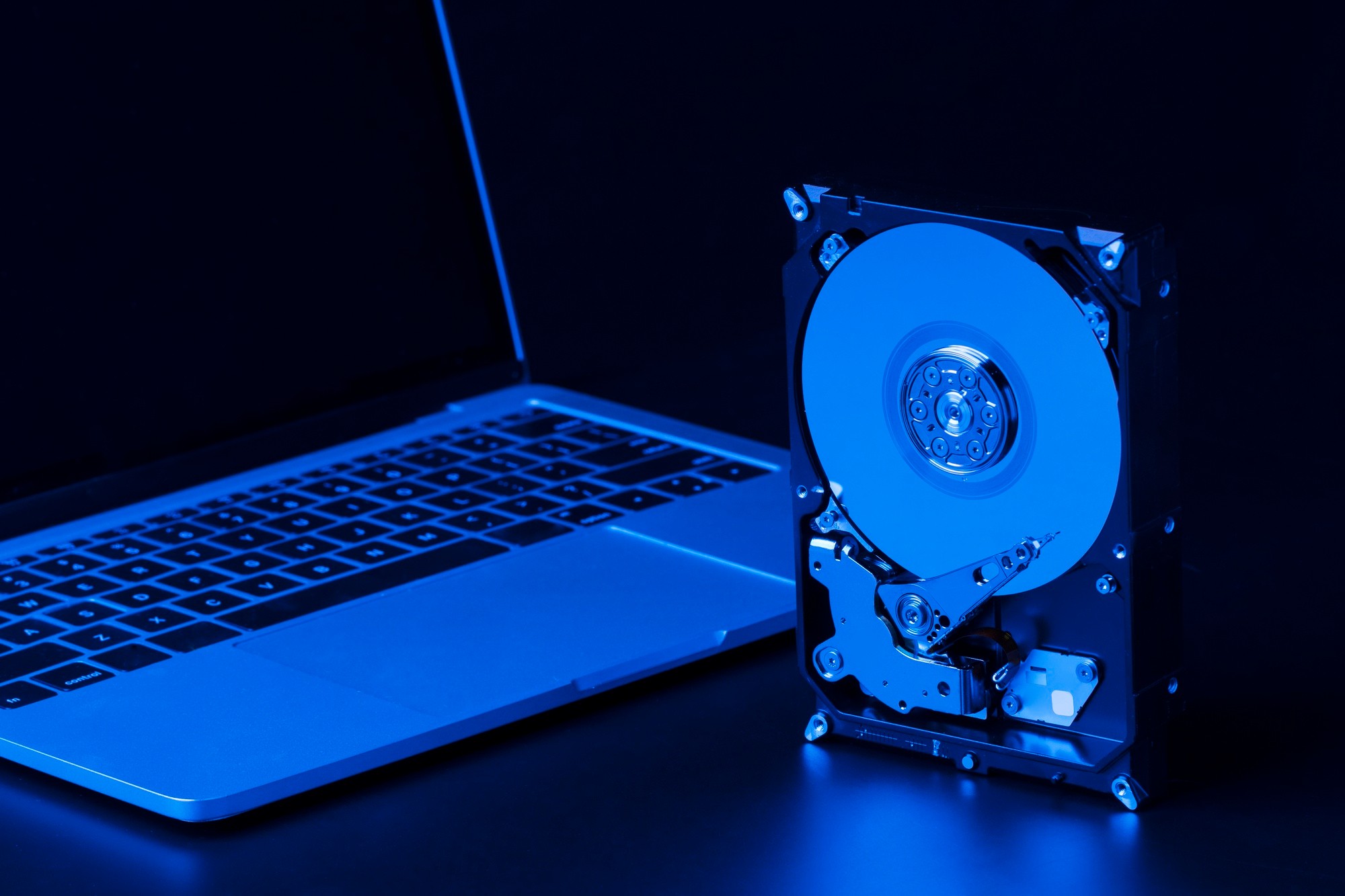
1. SSD Upgrades in Canberra
Old mechanical hard drives are the #1 cause of slow boot and lag. Switching to an SSD could mean. Boot times drop from 2 minutes to under 25 seconds. Apps launch 3 to 5× faster. The laptop runs cooler and quieter. NVMe SSDs are usually faster than SATA, but you only need them if your motherboard supports them. We’ll check that before recommending.

2. RAM Upgrades in Canberra
If Chrome, Excel, or Zoom keeps freezing, your RAM is maxed out. Adding RAM helps when you run 10+ browser tabs or multiple apps at once. You use video editing or design tools (Premiere, Photoshop), or you’re working on large spreadsheets or virtual meetings. In most mid-range Canberran laptops, upgrading from 8GB to 16GB gives a bigger quality-of-life boost than upgrading the CPU at half the price.

3. GPU Upgrades in Canberra
Upgrading your graphics card isn’t just about games. It also speeds up Video rendering, 3D modelling, architecture tools and AI/ML workloads (Tensorflow, Stable Diffusion, etc.). We stock tested GPUs that won’t bottleneck your existing system, and we check your power supply and thermals first.
4. CPU & Motherboard Upgrades in Canberra
These are the heart of your system, but they’re also the costliest to replace. Our philosophy: if your CPU is under 5 years old, optimise everything else first. When is it worth upgrading? If you’re a gamer or developer, hitting 100% CPU often. You’re building a workstation for 4K editing or CAD. Or your motherboard is too old for current-gen RAM or SSDs. We’ll tell you when it’s smarter to buy new vs. upgrade old.
Computer Software Upgrades in Canberra
Not every performance issue needs a screwdriver. Sometimes, your computer is fine, but it’s the software that’s slowing it down. Outdated operating systems, cluttered startup apps, or driver conflicts can make even new PCs feel sluggish. That’s where software upgrades come in, quick, affordable, and often transformative. Our Canberra technicians perform full software tune-ups designed to refresh your system without reinstalling everything from scratch.
1. Operating System Upgrades
Upgrade to the latest stable version of Windows or macOS, or clean reinstall to remove years of bloatware.
2. Driver & Firmware Updates
Many “mystery slowdowns” are caused by outdated chipset or GPU drivers. We handle updates safely, with restore points and rollback options in case something misfires.
3. Application Cleanup & Reinstallation
We identify startup apps, background services, and unused programs hogging your resources, then streamline them while keeping your core tools intact.
4. Security & Patch Management
Regular security updates reduce crashes and prevent malware that eats CPU cycles.
5. System Optimisation
We adjust power settings, storage indexing, and startup priorities to cut boot time and memory waste.
What Happens When You Book an Upgrade With Us?
1. Remote Pre-Check (Free)
We ask 5 questions about your device, specs, and daily use. You’ll instantly know if the upgrade is worth your money.
2. Diagnosis & Compatibility Test
We run a full hardware scan and check BIOS/firmware compatibility. We’ll clean your fans and check thermal paste too. You’d be surprised how much that alone can help.
3. Quote & Part Selection
We give a clear, written quote with side-by-side options like budget performance (e.g., Crucial / Kingston SSDs) and high-end reliability (e.g., Samsung / WD Black NVMe)
4. Backup & Safe Install
We clone your existing drive (unless you want a clean start). Data is verified before and after installation.
5. Testing & Benchmark
We show you real before/after numbers: boot time, app launch, FPS (if gaming). You leave knowing exactly what improved.
6. Warranty & Follow-Up
Every upgrade comes with: 12-month parts warranty, 30-day labour guarantee and a Free post-upgrade performance check after 14 days.
Our Computer Upgrades Pricing & Turnaround in Canberra
Prices include labour, testing, and installation ranges. You always get a confirmed quote before any work starts.
| Service | Typical Cost Range (incl. labour) | Turnaround |
|---|---|---|
| SSD Upgrade (500GB–1TB) | $250 to $400 | Same-day or next-day |
| RAM Upgrade (8GB–16GB) | $350 to $450 | Same-day |
| GPU Upgrade | Varies by model | 1 to 3 days |
| Full System Refresh (SSD + RAM + OS clean) | $400 to $650 | 1 to 2 days |
Why Choose a Canberra-Based Computer Upgrade Specialist
1. We actually explain things.
You’ll understand where your bottleneck is and what each upgrade fixes.
2. Local turnaround time.
We stock most parts locally in Canberra – no 2-week shipping waits.
3. We protect your data.
Every job includes optional full-disk cloning and post-upgrade verification.
4. We focus on real gains, not specs on paper.
Our benchmarks show you actual improvement – not “theoretical speeds.”
5. We service all major Canberra suburbs
Belconnen • Woden • Gungahlin • Tuggeranong • Queanbeyan • Kingston • Fyshwick • Barton
Get More Out of What You Already Own
You don’t need to replace your computer every 3 years. With the right upgrades, you can stretch its life, improve performance, and save hundreds. If you’re in Canberra and want a fast, friendly check before deciding. We’ll show you exactly what to upgrade, what to skip, and what kind of performance jump to expect.

Urgent Need Support?
0493107745
BOOK A SCHEDULE
Schedule Expert Repairs Instantly
FAQs: Computer Upgrades in Canberra
We’ve fixed thousands of computers across Canberra and heard every question under the sun. Here’s your no-fluff cheat sheet to what we do, how we do it, and why locals keep coming back.
Upgrade costs vary depending on the component. A RAM upgrade typically costs $90 to $160, an SSD upgrade ranges from $150 to $280, and a full system refresh costs $230 to $350 including labour. We provide a clear, upfront quote before any work begins.
Yes, significantly. Upgrading from a traditional HDD to an SSD can make your computer boot up to 5x faster and dramatically improve application launch times. Adding more RAM helps with multitasking and prevents slowdowns when running multiple programs.
Most upgrades are completed same-day or within 24 hours. Simple upgrades like adding RAM take as little as 30 minutes, while comprehensive upgrades such as a full system refresh including SSD and OS reinstall may take 1 to 2 days.
No. We always back up your data before starting any upgrade. Every job includes optional full-disk cloning, and we verify your data integrity before and after the upgrade to ensure nothing is lost.
It depends on the age and condition of your computer. Generally, if your computer is less than 8 years old and experiencing slowdowns, an upgrade is more cost-effective. We offer a free pre-check assessment to give you an honest recommendation.